
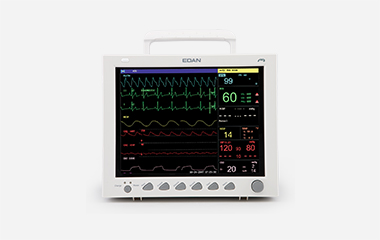
Ensuring precise interaction with an EDAN patient monitor is essential in clinical environments. A responsive touchscreen on a bedside monitor maximizes efficiency and minimizes the risk of input errors. Periodic calibration keeps the touch interface aligned with actual touch points so clinicians can confidently navigate menus and input settings. Below we explore how calibration works and why it matters for EDAN devices.
Understanding Touchscreen Needs on a Bedside Monitor
Touchscreens on devices like the EDAN patient monitor provide intuitive access to vital signs, alarms, and device settings. Over time or after environmental changes, these touch sensors can drift slightly, which may cause taps to register inaccurately. Calibrating the touchscreen ensures that every touch corresponds accurately with on-screen controls. Reliable touch performance supports seamless monitoring at the point of care.
Step-by-Step Calibration for EDAN Touchscreens
To start the calibration process on an EDAN unit, access the menu system of the bedside monitor. Within the maintenance section, there is typically an option labeled TouchScr Calibration. You may be prompted to enter a maintenance password before the calibration interface appears. Once initiated, a target symbol will display on the screen. Touch the central point of this symbol with a finger or stylus. Successful calibration is confirmed when the monitor displays a message indicating completion. At that point, you can exit the calibration menu and return to routine monitoring.
Tips for Smooth Calibration
Before beginning, make sure the screen surface is clean from dust, moisture, and oils, as contaminants can interfere with touch detection. Perform calibration in a stable environment without rapid temperature changes or direct bright light, which can affect how the touch layer senses contact. While EDAN devices handle the calibration routine internally, good practices around cleanliness and environmental conditions help ensure optimal results every time.
Conclusion
Touch accuracy is a key part of using an EDAN patient monitor effectively at the bedside. Regular calibration keeps your bedside monitor responsive and dependable, which supports fast, accurate operation during patient care. Following the built-in calibration process helps maintain the precision clinicians depend on in critical settings.